
Introduce about Android 16 Glass KWGT
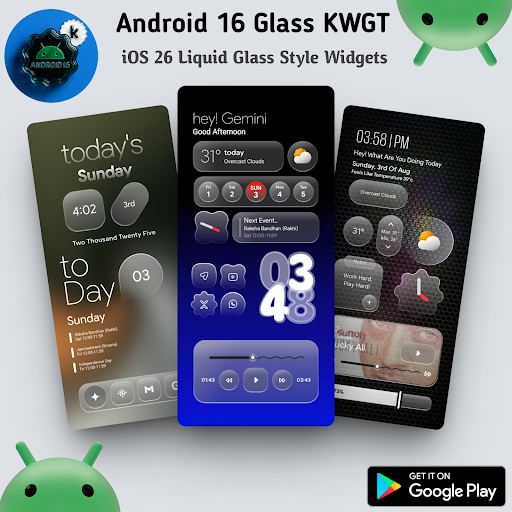
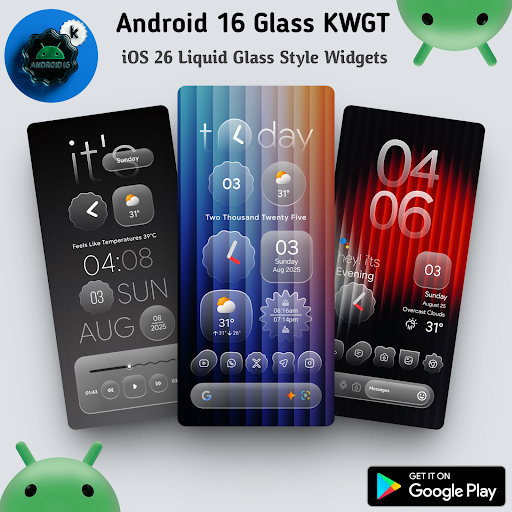
Android 16 Glass KWGT is an interface customization application for Android users who love novelty and sophistication. This application provides a set of widgets inspired by the Android 16 interface style combined with iOS, creating a beautiful and modern transparent effect.
When installed, users will have access to more than 70 pre-designed widgets, ranging from clocks, weather to notification bars or system information. Each widget is optimized with frosted glass effects and flat design, thereby making the screen more neat and impressive.
The application requires you to have KWGT pre-installed with the Pro version to be able to work properly. In addition, using a custom launcher like Nova will make the setup process easier and smoother. The simple, easy-to-understand interface and flexible customization are the strengths that this application aims for.
Modern transparent glass style widget set
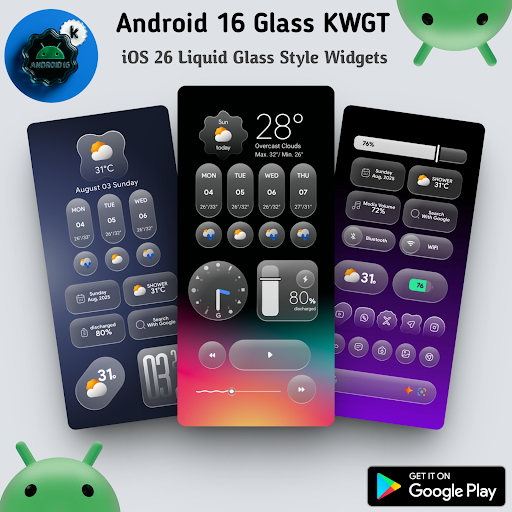
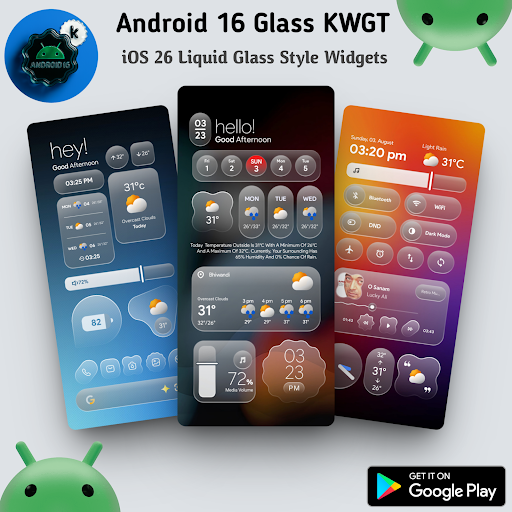
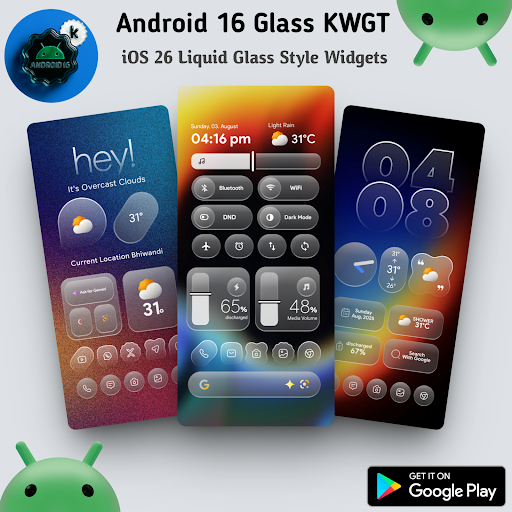
Android 16 Glass KWGT provides a collection of widgets with a “glass” design style – the transparent glass effect that is very popular today. Each widget is meticulously built with a frosted background, soft edges and clear icons. This style makes the interface more sophisticated, neat and deep. When placed on the wallpaper, the widgets will create an artistic blending effect, bringing a modern feel while still maintaining minimalism.
The highlight is the synchronization of design language between widgets, creating harmony on the entire home screen. From weather widgets, calendars, to digital clocks or battery notification bars, all have a clear, easy-to-see glass style. With a trend of light and uncluttered interfaces, this is the ideal choice for users who love aesthetics but still value convenience.
Provides more than 70 widgets with diverse functions
The widget set in Android 16 Glass KWGT includes more than 70 different designs, spread across many themes such as clocks, weather, dates, music players, battery levels, search engines, and many other utilities. This diversity gives users more flexibility in arranging and personalizing the screen according to their usage habits. One example is a large digital clock widget in the center, a battery notification widget at the top corner and a google search bar widget at the bottom.
Having the various layout options also makes switching the user interface style easy without having to download new apps. Each widget has a specific function, no duplication, providing a neat and reasonable user experience. In addition, because each widget is designed to fit many different screen sizes, users will not have difficulty using it on large or small phones.
Good compatibility with KWGT Pro and popular launchers
Android 16 Glass KWGT is built on the KWGT platform, so it works stably when you use it in combination with the KWGT and KWGT Pro applications. After full installation, users can start adding widgets to the home screen through launchers such as Nova, Lawnchair or other widget-supporting launchers. The setup process is also very simple, just select the KWGT widget from the list, then link it to the widget template available in this application and you’re done.
Thanks to good compatibility, users don’t need to worry about display errors or mismatched ratios. You can freely zoom in, zoom out, rotate or change the details inside each widget through the KWGT editor. In addition, with support from popular launchers, moving, arranging and customizing will become much more flexible. This feature is suitable for both new users and those who are familiar with deep customization of the Android operating system.
Allows detailed customization of each widget according to needs
One of the clear strengths of Android 16 Glass KWGT is the high level of customization for each widget. After selecting an available template, users can open the editor in the KWGT application to deeply intervene in each component such as color, font, position, size, icon and display information. You can completely turn a default widget into a personal design with a few simple drag, drop and edit operations.
This customization ability is very useful for those who have high aesthetic requirements or want the interface to better match the wallpaper theme, device color tone or personal preferences. You can change the background of the widget from white to gray to match the dark wallpaper, and you can also change the time format from 24h to 12h depending on your customs. In addition, those with design skills can also insert SVG icons, create shadow effects or add advanced functions such as displaying battery status, missed call notifications, etc.
Download Android 16 Glass KWGT MOD APK for Android
In summary, Android 16 Glass KWGT is an excellent option for those people looking for modern, stylish interface that allows for deep customization. With its unique transparent-glass design, a variety of widgets and configurable editing options, the application provides an individual experience with a solid tech atmosphere.
App Information
| App Name | Android 16 Glass KWGT |
|---|---|
| Publisher | Ahmad Ansari |
| Genre | Personalization |
| Size | 134 M |
| Update Time | 2026-01-12 |
| Latest Version | v1.0.1 |
| MOD Info | Paid/Patched |
| Get it On |

|