

Introduce about Colorimeter
Colorimeter is a color analysis application for Android users, developed by the publisher Lab Tools. This application helps users quickly identify color codes through the camera or available photos on the device. The interface is designed to be intuitive, easy to operate, suitable for many groups of users such as designers, artists, engineers, engineering students or people working in the field of production and paint mixing.
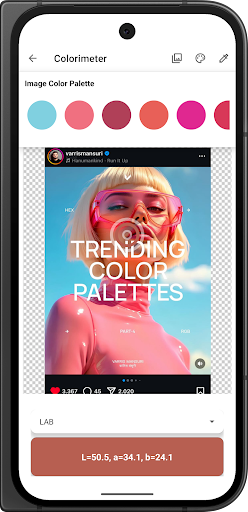
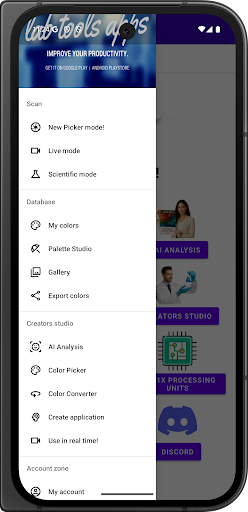
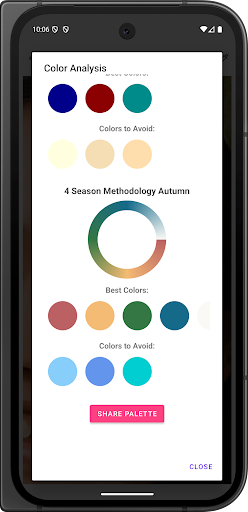
The highlight of the application is the ability to flexibly convert between many popular color systems such as RGB, HEX, CMYK, HSL, HSV, Lab, Luminance and wavelength color systems. The application also allows users to create color palettes, save and export color files to Excel format for use in design or research projects.
Some other advanced features include: color spectrum analysis from 400–700nm, support for finding equivalent color codes of major paint brands, accurate display on many devices, and integrated AI to suggest suitable colors for technical purposes. With a reasonable fee, this application is considered a useful and practical support tool in many fields related to color.
Identify and analyze colors directly from the camera or photo
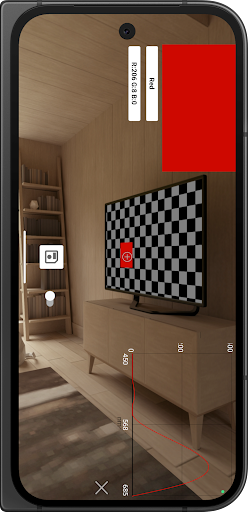
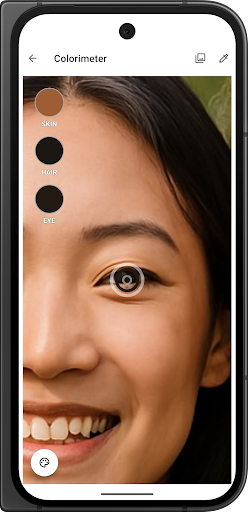
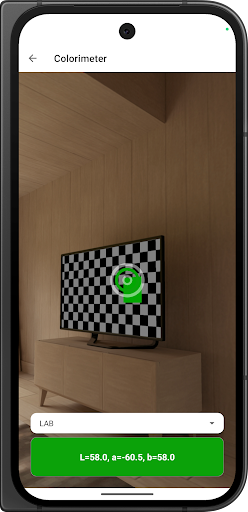
One of the most important features of Colorimeter is the ability to accurately identify colors through the camera or photos available in the device. As soon as the user opens the application and points the camera at any object, the system will analyze the displayed color area and provide detailed information about that color. In case the user selects a photo from the library, they can zoom in, zoom out, move the cursor to select the correct area to identify.
The application displays color results in many different formats such as HEX code, RGB value or more scientific parameters such as CIE Lab or Luminance. This is very convenient for those who are working in the field of design, image editing, choosing paint colors or checking print quality. Each time you analyze, you can save the results, add notes or use them in personal color palettes.
Switch between different color systems
Colorimeter allows users to flexibly switch between many color systems in just a few seconds. This is a very necessary feature for those who work in environments that require high precision such as graphic design, printing, architecture, paint mixing, or digital image analysis. When you select any color, the application will automatically display many corresponding color parameters in different systems such as RGB, HEX, CMYK, HSV, HSL, XYZ, CIE Lab, LCh and even light color wavelength codes.
Each color system will be presented clearly, with simple explanatory notes for users to easily understand, even for those who are not specialized in color. For example, when you have a HEX code like #FA8072, the application will immediately convert it to values such as RGB (250, 128, 114), CMYK or Lab parameters for in-depth analysis purposes.
Create color palettes, store and export data flexibly
Colorimeter is not just a color measurement tool, the application also supports creating personal color palettes, allowing users to manage, organize and export saved colors to data formats such as Excel spreadsheets. Once a color is analyzed, it can be saved with a unique name and can allow you to add notes or group its color into a collection. This is helpful if you are working on a project that has to coordinate many colors or the colors of each product, material, or design.
The application’s color palettes can contain many different color codes with all kinds of formatting information, such as RGB, HEX, Lab, etc. Whenever you need to share the palette of colors or use it in a report, the complete palette can be exported to an Excel file which you are able to email or store it in a cloud storage service.
The ability to organize colors by project, clearly classify them, and easily access them later helps improve work efficiency. Especially for those working in the printing design industry, building standard color sets for test printing, or creating personal color libraries, this feature is extremely useful and time-saving.
Display visible color spectrum and light wavelength code
One of the features rarely seen in other color applications is the display of the visible color spectrum from 400 to 700 nanometers, along with the corresponding wavelength code for each color. Colorimeter illustrates the range of light visible to the human eye to help their understanding of the origin and physical properties of each individual color.
When the user selects a color, the application will present information about the wavelength for that light (blue light is approximately 470 nm, yellow light is approximately 580 nm, etc.). This is particularly useful data in fields such as materials science, light physics, vision research or lighting system design.
Download Colorimeter MOD APK for Android
In short, Colorimeter is a reliable color measurement and management tool for those who regularly work with images, design or technical research. With accurate color analysis, diverse color system conversion and convenient data export support, the application brings a professional experience right on the phone.
App Information
| App Name | Colorimeter |
|---|---|
| Publisher | Lab Tools |
| Genre | Tools |
| Size | 16 M |
| Update Time | 2026-01-12 |
| Latest Version | v2.25.19 |
| MOD Info | Paid/AD-Free |
| Get it On |

|