
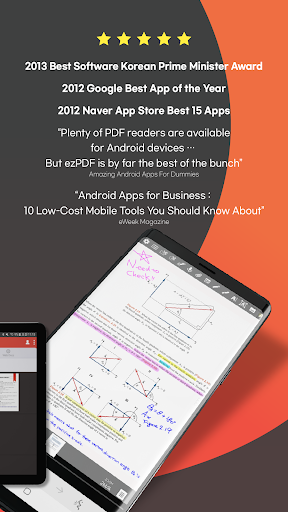
"Plenty of PDF readers are available for Android devices and a number of them are free. But ezPDF is by far the best of the bunch." Daniel A. Begun, author of Amazing Android Apps for Dummies
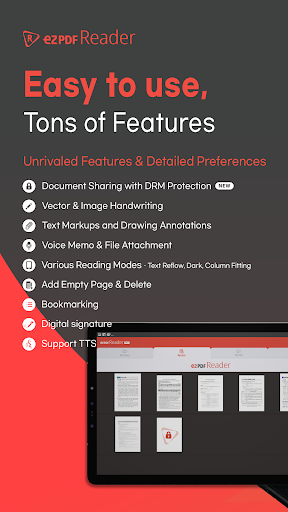
The great features about the ezPDF reader compared to the other PDF apps are that it can be used not only for viewing and highlighting documents, but also plays embedded multimedia files (audio, video & GIF animation), supports TTS (Text-to-Speech), and provides document protection using DRM Service.
ezPDF Reader has been awarded for the best app of the year from Google in 2012, the Best 15 Apps from Naver App Store in 2012, and the Prime Minister Award from the Korean Government in 2013.
★New Features★
ezPDF DRM Service (Free 3,000 Points, In-App Purchase)Apply DRM on your PDF Documents to share/distribute PDF securely.
Share your sensitive documents such as contracts, invoices, and literary works with ezPDF DRM Service. ezPDF DRM Service ensures the prevention of misuse of sensitive documents and provides a platform to check histories of shared/distributed documents. In order to use the service, you must sign-up first then log-in. Click on the profile icon at the top-right section for more details.
● Viewing PDF
Supports Reading Direction Change, Page Layout Settings
Supports Text Search, Scroll Direction, Table of Contents, Hyperlinks, Lists (Annotations, Attachments)
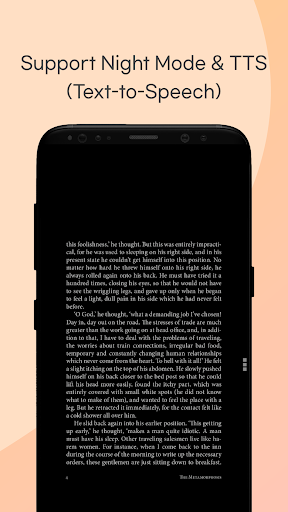
Supports Monochrome Mode and Night Mode to reduce eye strain
Supports Auto Flip and Scroll Settings
● Playing Multimedia Contents on PDF
ezPDF Reader supports multimedia contents such as audio and video files on your PDF documents. It can be played as a small window or in full-screen mode. ezPDF Reader can also play embedded GIF or APNG (Animated PNG) files.
● PDF Annotations
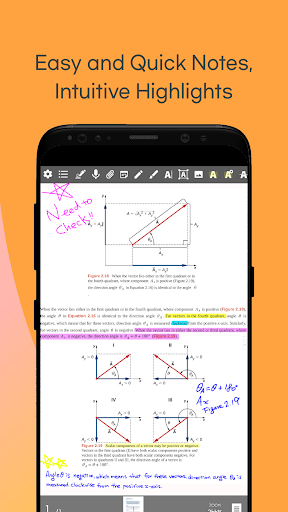
You can comment on PDF freely adding annotations using texts, drawings, or voice recordings.
Add highlights, underlines, or strikethroughs on your text.
Import, export, or share your annotations.
● TTS (Text-to-Speech)
ezPDF Reader supports TTS and it can still play while your screen is off.
● PDF Form Input
When a PDF document has a fillable form, you can fill in the form fields.
You can import form data from PDF or export data to PDF documents.Relatively smaller form data can be easily shared without the PDF.
● Share or Print PDF
Print PDF from your device.
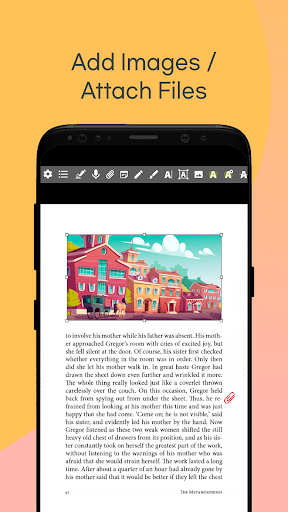
Supports File Attachment and PDF Share.
● Useful Gestures
Five Fingers Tap: Show/Hide Annotation Tool Bar
Four Fingers Tap: Show/Hide Notification Bar
Three Fingers Tap: Text Reflow / PDF
Two Fingers Tap: Auto Width / Default
One Finger Tap: Show/Hide Menu
Q. Why does ezPDF ask for access to my Phone Call Functions?
A. We need your permission to force stop the TTS when you receive phone calls while the TTS is running.
Q. Why does ezPDF ask for access to my Microphone Functions?
A. We need your permission to use your microphone for voice recording functionality.
● License
ezPDF Readers on Google Play Store, Samsung Apps and etc. do not share licenses. Thus, they are not compatible with each other. Additionally, the license purchased on iPhone cannot be used on iPad and vice versa. ezPDF Reader has to be purchased separately on iPad and iPhone and their licenses are different from Android Versions.
● Contacts
If you want to learn more about us:
twitter.com/unidocs
facebook.com/ezpdf
Contact Developers
[email protected]
App Information
| App Name | ezPDF Reader |
|---|---|
| Publisher | Unidocs Inc |
| Genre | Productivity |
| Size | 39 M |
| Update Time | 2026-01-13 |
| Latest Version | v2.7.1.12 |
| MOD Info | Paid/Patched |
| Get it On |

|