
Introduce about Glass Dark Icon Pack
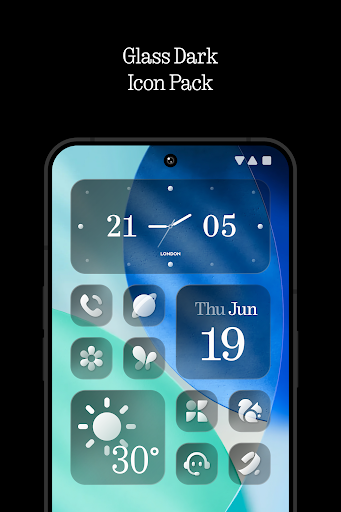
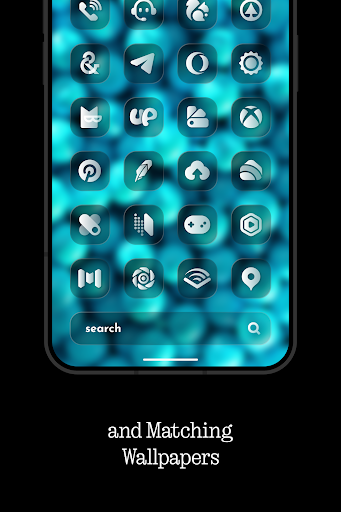
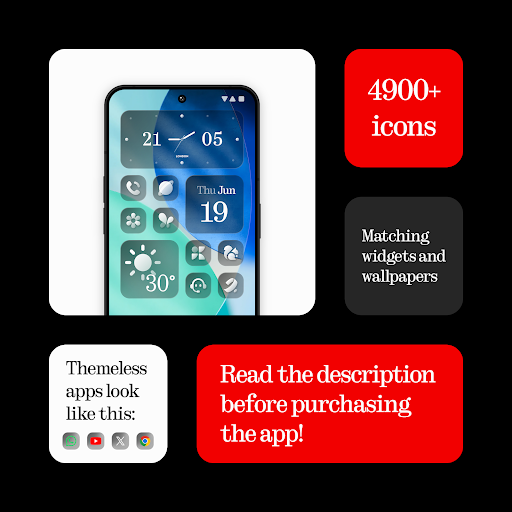
Glass Dark Icon Pack is an icon application for Android, developed by designer NARIK DESIGN. This icon pack has a “dark glass” style with a square, transparent and sharp design. When applied to the phone interface, you will feel the modernity and sophistication in every detail. With more than 4,900 icons designed synchronously, this collection brings a harmonious and easy-to-see visual experience.
In addition, the application also integrates 5 specially designed KWGT widgets and a cloud wallpaper store for users to easily download. If some applications do not support their own icons, you can send a request directly in the app. The developer regularly updates icons to meet increasingly diverse usage needs.
Glass Dark Icon Pack works well with many popular launchers such as Nova, Niagara, Smart Launcher, Lawnchair or Nothing Launcher. In addition, you can apply icons manually if you are using other launchers.
Luxurious frosted glass icon design
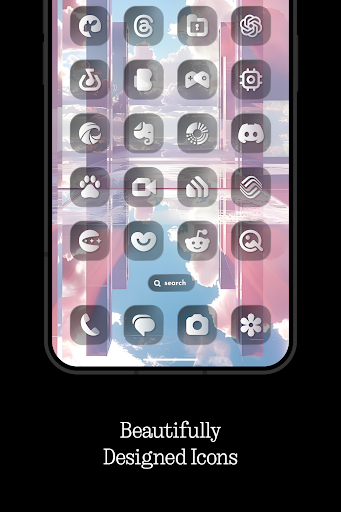
Glass Dark Icon Pack stands out thanks to its frosted glass-style icon set, neatly rounded and covered with a light gloss to create a transparent feeling. The main color tone tends to be dark, combined with soft light effects to help the icons become sharp but still easy on the eyes. Each icon is carefully refined to represent the true identity of the original application, while ensuring consistency in the overall interface.
With over 4,900 icons available, users can easily personalize their home screen in a modern and minimalist style. This design is suitable for dark or gradient wallpapers, creating depth for the display space. The highlight of this icon style lies in its high aesthetics, not causing confusion and creating a professional impression at first sight.
KWGT widget support and cloud wallpaper
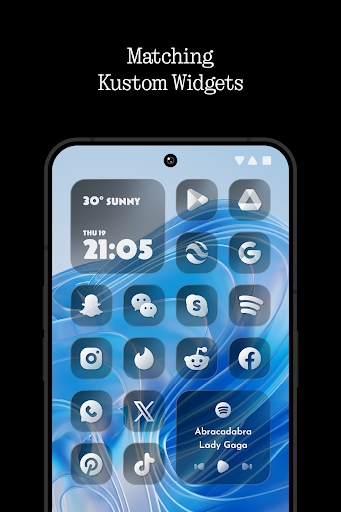
In addition to the main icon set, Glass Dark Icon Pack also provides 5 additional customizable widgets for the KWGT application, helping users expand their creativity with the home screen. These widgets can be used to display information such as clocks, weather, or notes in a frosted glass style that is synchronized with the icon pack. The design of the widget is also carefully crafted, keeping a minimalist style but still full of necessary information.
In addition, the application integrates a wallpaper store stored on the cloud platform, allowing users to access and download quickly. The wallpapers mostly use dark tones, soft shadows or gradients, which add depth to the interface. When combined with frosted glass icons, KWGT widgets and accompanying wallpapers, you can create a seamless, aesthetically pleasing and consistent user experience.
Regular icon updates and support for custom requests
Glass Dark Icon Pack is highly appreciated for its ability to update regularly on a cyclical basis, helping users always have a new icon set that matches newly released applications. The update not only adds new icons, but also includes editing or remaking old icons to ensure a consistent style throughout the system.
In addition, the application provides an icon request feature if your device is installing applications that do not have compatible icons. Users only need a few simple steps to send a list of applications that need support. Developers often process requests in turn or priority, depending on the form of user submission. This method helps the icon set become more complete over time, while creating a personalized feeling for each user.
Compatible with many popular launchers
In addition to the above factors, Glass Dark Icon Pack is also designed to work stably with many launchers that are widely used on Android. Users can apply this icon pack directly to launchers such as Nova, Niagara, Lawnchair, Smart Launcher 6, Rootless Pixel, Nothing Launcher, Apex, Action Launcher and many more.
For launchers that do not support automatic application, you can still manually select through the settings or use an application like Shortcut Maker to assign icons as desired. Wide compatibility gives users more flexibility in customizing the interface, not limited by a specific ecosystem. Whether you use a simple launcher for optimized performance or a launcher with many options for deep personalization, Glass Dark still brings consistency in design.
Intuitive application interface
As soon as you open the Glass Dark Icon Pack application, you will see all the features are clearly arranged and easy to access. From applying icons to sending icon requests, everything is integrated into a simple, easy-to-understand interface. The application divides the menu into separate sections such as: Apply icon, View icon set, Access wallpaper, Send icon request and Update.
Each item is presented with easily recognizable illustrated icons, helping you to operate faster without having to read too many instructions. With such a friendly control panel, even those new to customizing the Android interface can use it easily. Downloading wallpapers, selecting widgets or previewing icons are all smooth, without annoying lag.
Download Glass Dark Icon Pack MOD APK for Android
Overall, Glass Dark Icon Pack brings a new breeze to the Android interface with a sharp and synchronized frosted glass design. Each icon is carefully crafted, combined with sophisticated wallpapers and widgets to make the overall look harmonious and modern.
App Information
| App Name | Glass Dark Icon Pack |
|---|---|
| Publisher | NARIK DESIGN |
| Genre | Personalization |
| Size | 114 M |
| Update Time | 2026-01-13 |
| Latest Version | v1.3 |
| MOD Info | Paid/Patched |
| Get it On |

|