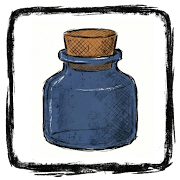

Icon Pack inspired by Ink Drawings.
InkFlow Icon Pack delivers beautiful icons in combination with Ink Theme and White Color Depending on the original app icon. Primary Inspiration for this design is Ink Drawings.
InkFlow Icon Pack has an Ink Drawings style and High quality shapes from up-close, the icons look like they’re really unique and out of the box , which makes for a stunningly-different look in the digital age. There are over 100 icons as well as a multitude of high-quality wallpapers to complement the look with stunning icons. It’s one of the freshest and Mindblowing icon packs you could think of.
Complement your mobile screen with exclusive InkFlow Icon Pack. Each icon is a real masterpiece and designed in order to create a perfect and pure Unique Experience. Every icons has been designed with a Perfect blend of creativity and love to enhance your mobile experiencee.
There’s always something new:
InkFlow Icon Pack is still new with 100+ Icons and growing with updates.
Why Choose InkFlow Icon Pack over other Packs?
• 100+ ICONS WITH TOP NOTCH QUALITY
• 3 Matching Wallpapers
• Frequent Updates
Personal Recommended Settings and Launcher
• Use Nova Launcher
• Set Icon Normalization Off From the Nova Launcher Settings
• Set Icon Size to 70%-100%
• Use Dark Wallpaper
Turn Off Icon Pack in Nova Launcher.
• Go to Nova Settings > Look & Feel > Icon Style > Turn Off “Reshape Legacy Icons”
Other Features
• Icon preview&search
• Material Dashboard.
• Category-based Icons
• Easy Icon Request
Support
If you have any issue with using my Icon Pack. Just email me at [email protected]
How to use this Icon Pack?
Step 1 : Install supported theme Launcher
Step 2 : Open InkFlow Icon Pack and Go to Apply section and Select Launcher to apply.
If your launcher is not in a list make sure you apply it from your launcher settings
DISCLAIMER
• A supported launcher is required to use this icon pack!
Icon Pack Supported Launchers
Action Launcher • ADW Launcher • Apex Launcher •Atom Launcher • Aviate Launcher • CM Theme Engine • GO Launcher • Holo Launcher • Holo Launcher HD • LG Home • Lucid Launcher • M Launcher • Mini Launcher • Next Launcher • Nougat Launcher •Nova Launcher(recommended) • Smart Launcher •Solo Launcher •V Launcher • ZenUI Launcher •Zero Launcher • ABC Launcher •Evie Launcher • L Launcher • Lawnchair
Icon Pack Supported Launchers not Included in Apply Section
Arrow Launcher • ASAP Launcher •Cobo Launcher •Line Launcher •Mesh Launcher •Peek Launcher • Z Launcher • Launch by Quixey Launcher • iTop Launcher • KK Launcher • MN Launcher • New Launcher • S Launcher • Open Launcher • Flick Launcher • Poco Launcher
This icon pack has been tested, and it works with these launchers. However, it may also work with others too.In case you do not found an apply section in dashboard. You can apply icon pack from a theme setting.
Extra Notes
• Icon pack needs a launcher in order to work. Some devices can apply icon Packs without any launcher like OnePlus, Poco etc.
• Missing an Icon? Feel free to send me an icon request and I will try to update this pack with your requests.
Contact Me
Email: [email protected]
CREDITS
• Jahir Fiquitiva for providing such a great dashboard.
App Information
| App Name | InkFlow Icon Pack |
|---|---|
| Publisher | Jimtendo |
| Genre | |
| Size | 18 M |
| Update Time | 2026-01-29 |
| Latest Version | v1.1.0 |
| MOD Info | Patched |
| Get it On |

|