
Introduce about OneUi 7 KWGT
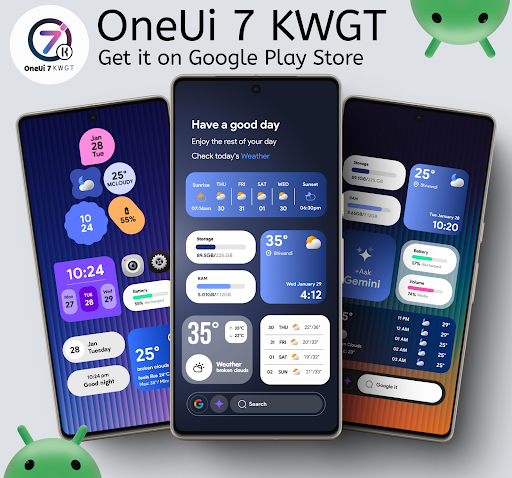
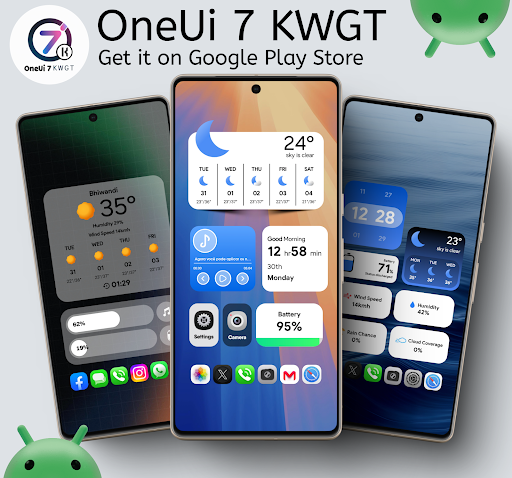
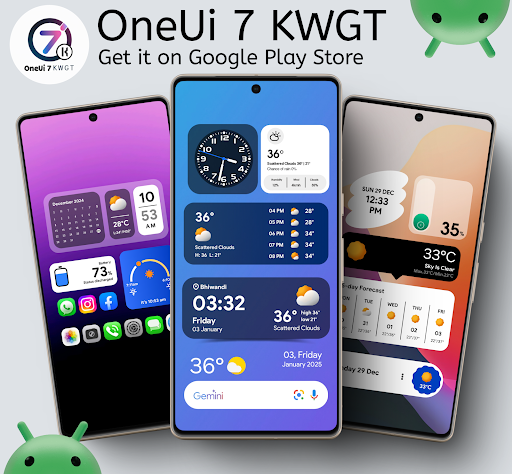
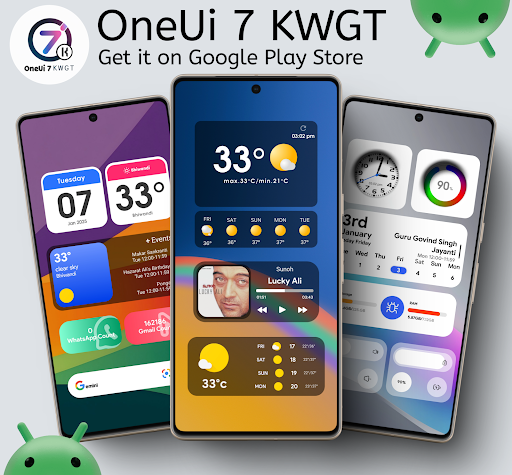
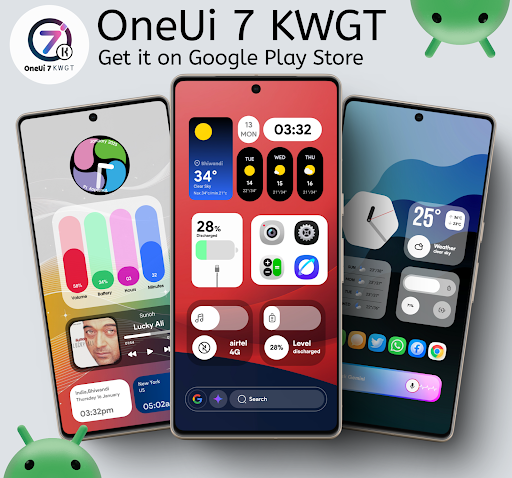
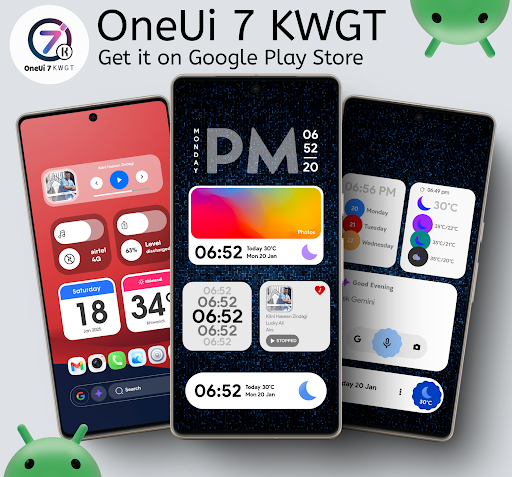
OneUi 7 KWGT is an application that helps Android users create a screen interface in the modern OneUI 7 style. This application is developed by Ahmad Ansari and is dedicated to those who love neatness, minimalism but still stand out. After installation, you will be able to choose from hundreds of different widget templates, including clock, weather, search bar, calendar and many other widget items.
To fully utilize the features, you need to install KWGT Pro – a tool that supports displaying and adjusting widgets as desired. Some launchers like Nova Launcher or Lawnchair will help arrange and fine-tune the interface more smoothly. The widgets in OneUi 7 KWGT are delicately designed, compatible with many different screen types and sizes.
The application interface is friendly, easy to operate and is regularly updated with many new models. If you want to refresh your phone in your own way, this application will be the right choice to start.
Customize widgets in OneUI 7 style
OneUi 7 KWGT brings a collection of widgets designed in OneUI 7 style, simulating Samsung’s signature interface. Users can easily add clocks, calendars, weather, search bars and many other components to the home screen. The highlight of these widgets is the neat design, elegant colors and reasonable arrangement, creating a spacious, modern feeling.
The application provides hundreds of templates, suitable for many different screen sizes and interface tones. Each widget can be customized further with KWGT Pro, from which users can adjust the position, font, color or display according to their preferences. This is the core function that helps users create their own personal interface, while still maintaining high aesthetics.
Support flexible widget editing and scaling
An important function in OneUi 7 KWGT is the ability to edit widgets through the scale feature. Users can enlarge or shrink widgets to fit the screen layout. This is especially useful for phones with different display ratios or launchers that do not automatically align the size. Through the KWGT Pro tool, you can customize every detail such as font size, spacing between sections, background effects or icon position.
If the widget is not displayed correctly, you just need to go to the Layer section in KWGT and adjust the Scale parameter until it is suitable. The operation is simple and easy to access, helping even beginners to be able to tweak it to their liking without having to understand the technique. This feature allows each widget to be suitable for many different interface styles, from monochrome to vibrant styles.
Regularly update new widget templates
The OneUi 7 KWGT application is periodically updated with new widget templates. Developer Ahmad Ansari regularly adds new designs to enrich the choices for users. Each update brings from 10 to 15 new widgets, spread across categories such as digital clocks, notification bars, weather forecasts or daily greetings.
Everything is carefully crafted to stay true to the OneUI 7 spirit: modern, easy to see, and consistent. This constant updating keeps users feeling fresh and not bored with the old layout. Every time you open the app, you can discover more unique and creative widget designs. This is very important for those who often change the interface to match their mood or theme of the day.
Compatible with many popular launchers
OneUi 7 KWGT works smoothly on most launchers that support custom widgets. Some popular options such as Nova Launcher, Lawnchair or Smart Launcher are all compatible with the application. After installation, you can add widgets directly to the home screen and adjust the position as desired.
Wide compatibility helps users not be limited by a specific interface. No matter what brand of phone you use, the application can easily integrate into the current system. In particular, with launchers that support custom grids and unlimited widget size, the application’s display capabilities will be more clearly effective.
Optimized performance, lightweight and stable
Despite containing hundreds of widget templates, OneUi 7 KWGT still maintains a light capacity and operates stably. The application does not cause lag, even on mid-range devices or low-end configurations. Widgets are designed simply in terms of effects, optimized display code so they do not drain the battery or take up too much RAM when used for a long time.
This is very important for users who love personalization but still want the device to run smoothly. When used with KWGT Pro, all editing operations are also fast, with almost no lag. In addition, the application does not contain annoying ads, making the experience more seamless.
Download OneUi 7 KWGT MOD APK for Android
If you are a fan of the OneUI 7 interface and want to decorate your Android screen with beautiful and flexible widgets, OneUi 7 KWGT is a worthy choice. However, you need to consider the investment: buying a widget pack and still need KWGT Pro. Overall, with high ratings and a variety of widgets, this is a good suggested package for professional KWGT users.
App Information
| App Name | OneUi 7 KWGT |
|---|---|
| Publisher | Ahmad Ansari |
| Genre | Personalization |
| Size | 156 M |
| Update Time | 2026-01-12 |
| Latest Version | v1.1.3 |
| MOD Info | Paid/Patched |
| Get it On |

|