

Introduce about Projectivy Launcher
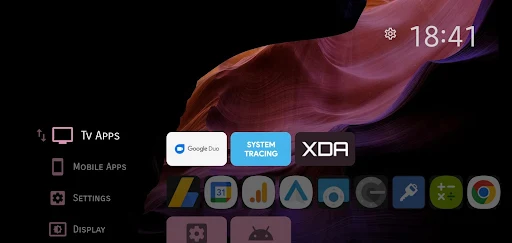
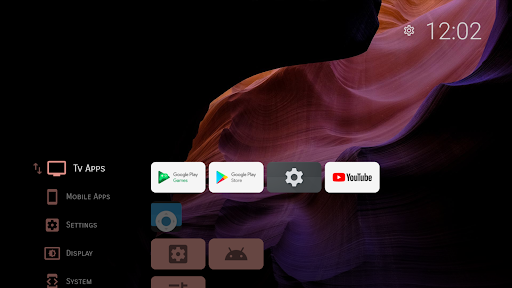
Projectivy Launcher is an application that helps replace the default interface on Android TV, suitable for those who want to experience a neat, easy-to-use and more flexible home screen. The application is built by independent developer Spocky and is highly appreciated by the user community for its strong personalization capabilities. After installation, users can manually rearrange applications, group them into separate categories, change icons, customize the display interface and even set the application to start at the same time as the TV.
In particular, Projectivy Launcher supports changing the live wallpaper with videos or GIF images, making the screen more vivid. Users can also adjust the brightness, color, and blur effects to create their own style. In addition, the application has the ability to quickly access input ports such as HDMI or AV, supports parental control, and adds many advanced utilities. Thanks to its simple design, easy to control, and smooth operation on low-configuration devices, Projectivy Launcher is gradually becoming a favorite choice for Android TV users.
Clean interface, easy to customize for Android TV
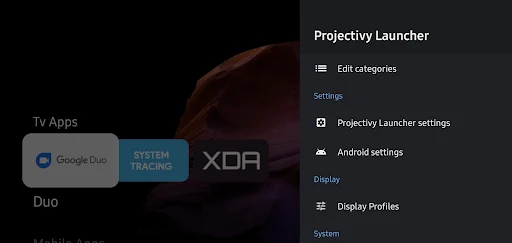
Projectivy Launcher was developed to replace the confusing default interface of many Android TV devices. When using this application, users will experience a clean interface, no ads and completely focus on the main content. The main interface of the launcher is designed in the form of “categories” or “app rows,” making it easy for you to group apps into separate topics such as watching movies, games, work, or tools.
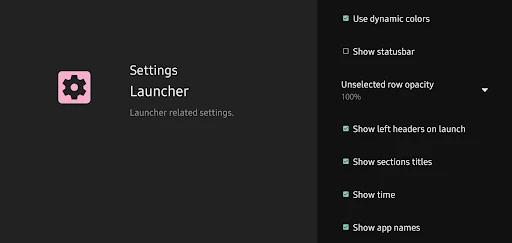
Users can adjust the position, spacing between rows, number of displayed columns, transition effects, and even the overall color of the interface. All setup operations are performed directly on the TV, without requiring a computer connection or using external software. This enables users to personalize the Android TV experience to their real use cases from simple to advanced. For users who value simplicity and minimalism, Projectivy Launcher is a dynamic, easy to understand, and easy to control platform.
Supports dynamic wallpapers and rich visual effects
A highlight that helps Projectivy Launcher attract users is the ability to display dynamic wallpapers. You are not limited to choosing a static image as the background like conventional launchers. Instead, the application supports the use of videos, GIFs or wallpaper plugins from online sources to enrich the TV’s display space. For those who love liveliness or want to create a personal mark, this is a very valuable feature.
Not only stopping at displaying wallpapers, Projectivy also provides advanced customizations for visual effects. Users can adjust brightness, contrast, overall color, saturation, apply background blur effects or even automatically change the interface according to the main color tone of the wallpaper. Thanks to that, every time you change the wallpaper, the entire display space also changes accordingly, creating a fresh and consistent feeling.
Personalize icons, app names and shortcuts
With Projectivy Launcher, users are not limited by the default app icons. You can change each app’s icon with a custom image or use external icon sets. This is a point that very few launchers on Android TV support directly. Personalizing icons helps you create an aesthetically consistent interface or quickly distinguish between apps by function, thereby saving time searching.
In addition to changing icons, Projectivy also allows you to rename each app, add individual shortcuts to the home screen, or attach specific actions such as opening the app, switching inputs, turning on special image modes… to the control buttons. For professional TV users, you can completely turn the remote control into a tool to quickly access important features without having to go through many steps.
Support advanced control features
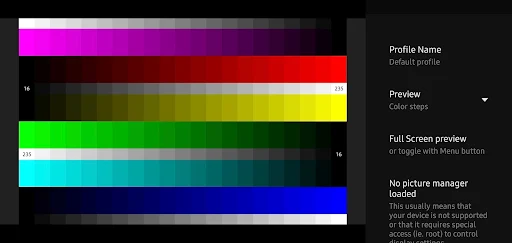
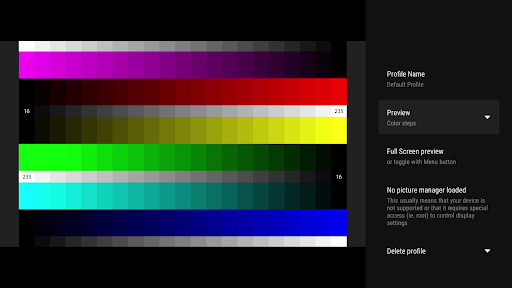
Projectivy Launcher is not only aimed at customizing the interface but also equipped with many advanced features for advanced users. One of them is the ability to quickly access hidden tools of Android TV devices such as image standard test, Dolby Vision test, image delay test or open technical menus that cannot be accessed by the default launcher.
Moreover, Projectivy lets you setup the app to launch with the system. For example, when you turn the TV on, you can set to open YouTube or Netflix or the HDMI port without having to go through the extra navigation process. The app also has features for “Parental Control” to lock some sensitive apps or features, so users can make a pin code for kids to not be able to open inappropriate apps or even accidentally delete settings.
Download Projectivy Launcher MOD APK for Android
In conclusion, Projectivy Launcher is the ultimate app for people who want to take control of the experience with their Android TV. The clear design and high level of customisation make it infinitely more intuitive, beautiful and flexible than the default launcher. If you crave sophistication and control, and want to make your television a personal space, Projectivy is worth downloading and exploring.
App Information
| App Name | Projectivy Launcher |
|---|---|
| Publisher | Spocky |
| Genre | Personalization |
| Size | 17 M |
| Update Time | 2026-01-12 |
| Latest Version | v4.68 |
| MOD Info | Premium Unlocked |
| Get it On |

|