

Introduce about Quick Settings
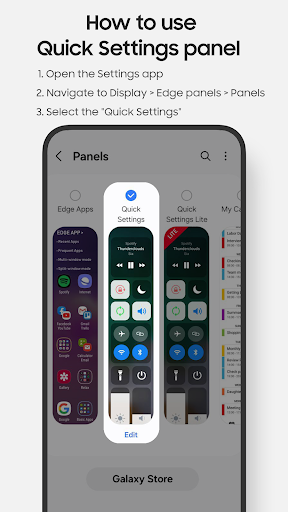
Quick Settings is a utility application released by EdgePro, designed specifically for Samsung devices that support Edge Panel. The application helps users quickly access frequently used settings and tools with just one swipe of the edge of the screen. This is a suitable choice for those who want to save time and optimize the experience on the phone.
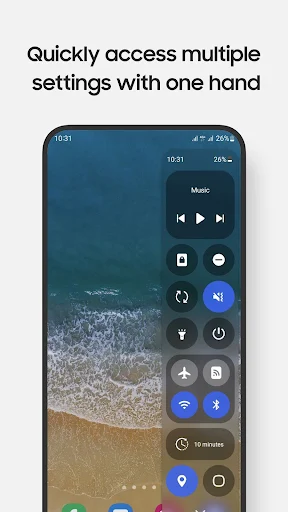
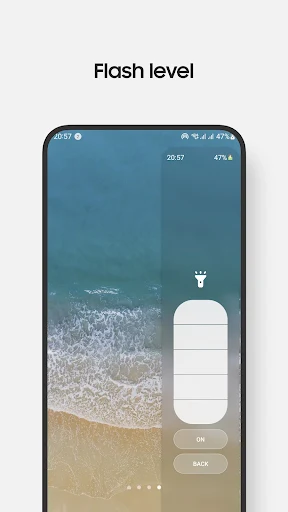
In this application, you can easily turn on or off Wi-Fi, Bluetooth, mobile data or silent mode. In addition, the application also allows quick opening of the camera, clock, calculator, screen recording and even a partial screenshot tool. Users can also adjust the brightness, volume, use a flashlight with multiple brightness levels or lock the screen right on the control panel. Each function is intuitively arranged, easy to operate and can be flexibly customized to suit personal habits.
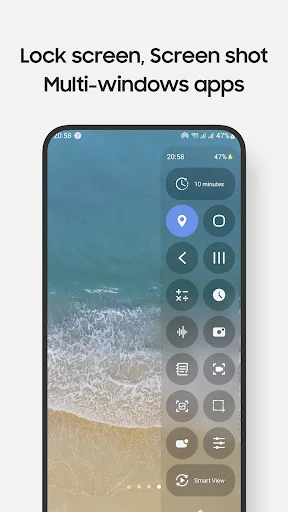
In addition to basic features, Quick Settings also supports Smart View connection, QR code scanning, quick navigation to the home page or multitasking. With a compact capacity, clear interface and stable operation, the application brings a convenient experience for those who want to manage their phones quickly and effectively.
Quick access to basic settings
Quick Settings allows you to turn on or off commonly used functions such as Wi-Fi, Bluetooth, mobile data or silent mode with just one swipe of the screen edge. This is the strongest point of the application because it saves a lot of time compared to going to the system settings section.
For instance, when you want to disable mobile data to save on battery level, you would just have to access the control panel by selecting it from the Edge Panel, instead of a long series of steps. Volume level and brightness can also be controlled from this panel.
The button layout is simple and easy to understand, there’s no need to tinker with it for long to become acclimated. In addition, you can position the buttons around according to your habits to enhance convenience during the operation process.
Quickly open applications and utility tools
In addition to controlling settings, Quick Settings also supports quickly opening many important applications such as the camera, clock, calculator or screen recording tool. When you need to take a quick photo, just swipe the edge of the screen and select the camera icon. In case you want to record the operation on the phone to guide your friends, the built-in screen recording feature will help you do it immediately without having to download another application.
In addition, the screenshot tool has many options, from capturing the entire screen to capturing a section, allowing you to keep exactly the necessary content. Some other utilities such as turning on the flashlight, pulling down the notification bar or locking the screen are also in the control panel, helping you to use it flexibly in all situations. This feature is especially useful for those who often work on the phone, because with just a few simple operations, you can access a series of necessary support tools.
Flexible interface and control panel customization
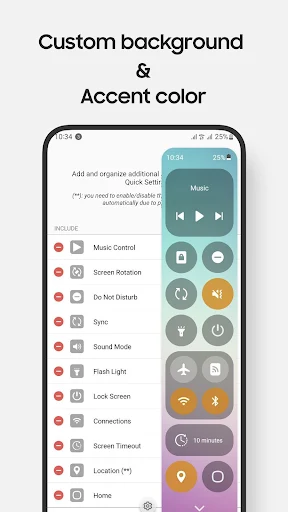
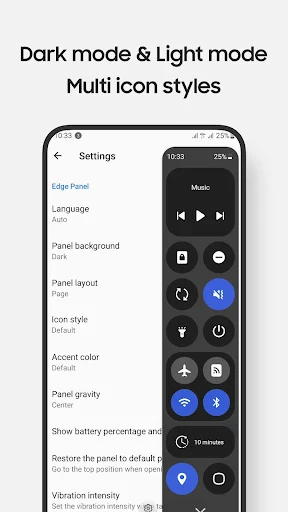
Another highlight of Quick Settings is the ability to customize the interface. Users can change the control panel layout, rearrange the position of the function buttons or add or remove necessary tools. Thanks to that, the control panel will become suitable for personal needs instead of having to follow the default design.
You can also choose light or dark mode to synchronize with the general interface of the phone, bringing a sense of harmony when using. In addition, some versions also support customizing colors and icons, making the control panel more intuitive and eye-catching. For those who like to personalize their devices, this is an extremely useful feature. Allowing flexible changes helps the application not to be boring and always creates a new feeling during use.
Support for a variety of Samsung Edge Panel devices
Quick Settings is specifically designed for Samsung devices with Edge Panel such as Galaxy S, Galaxy Note, Galaxy A or Galaxy Z Flip. Thanks to this integration, the application operates smoothly and stably, taking full advantage of the edge screen on Samsung devices. Users only need to swipe lightly from the edge of the screen to open the control panel, operating faster than using traditional shortcuts.
In particular, the application is compatible with many Android versions from 5.0 and above, allowing users in many different device segments to experience. This is the optimal solution for those who want to take advantage of the Edge Panel feature but are not satisfied with the default panels on the phone. Supporting a variety of devices helps this application reach many users, from new users to those who have been familiar with Samsung phones for a long time.
Download Quick Settings MOD APK for Android
Quick Settings brings a neat and convenient experience to Samsung users, helping to quickly access all settings and tools with just one swipe of the edge of the screen. With flexible customization, many useful utilities and intuitive interface, this application is a worthy choice for those who want to optimize daily operations on their phones.
App Information
| App Name | Quick Settings |
|---|---|
| Publisher | EdgePro |
| Genre | Tools |
| Size | 8 M |
| Update Time | 2026-01-12 |
| Latest Version | v2.6.9 |
| MOD Info | Pro Unlocked |
| Get it On |

|