
Introduce about Ram Swap
Ram Swap is an application that supports optimizing Android devices, helping users create more virtual RAM by using free space in the device’s memory to create swap files. From the moment the application is launched for the first time, users can create and manage swap files.
As a plus, the application has an integrated tool for monitoring RAM and CPU activity, permitting efficient control of the device’s performance. The friendly interface and lightweight capacity are two other positives the app has going for it, so it qualifies to be installed on many devices.
Having been downloaded over 100,000 times and has got positive feedback from the user community, Ram Swap is considered one of the better tools for enhancing phone performance. Users need to check for free space before use to ensure that the swap file creation proceeds without any hitch.
Create a swap file
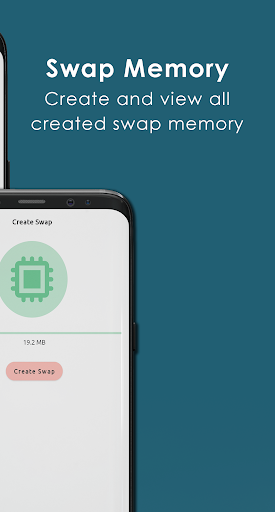
In the Ram Swap application, creating a swap file is quite simple and fast. After opening the application, users can access the swap creation section to start setting up. Here, you will be asked to select the capacity for the swap file based on the available free memory on the device. Choosing the appropriate capacity level will help the operation process be more stable and avoid putting pressure on the storage system.
Before confirming the creation of the file, you should carefully review the parameters displayed on the screen to adjust if necessary. When the creation process starts, the application will process for a few minutes depending on the capacity you have selected. During this time, users should limit opening other applications to ensure the process is not interrupted.
When the swap file is successfully created, the application will display a notification with management options. You can enable or disable swap, check the RAM usage status or delete the file if you no longer need it.
Manage swap files
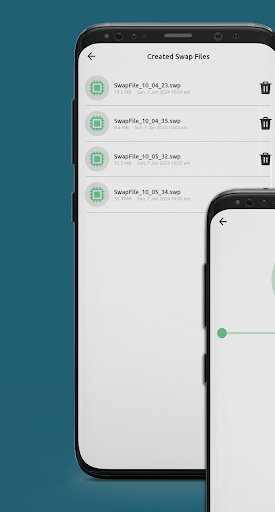
After successfully creating a swap file in Ram Swap, users can easily manage these files through the main interface of the application. All swap files are clearly listed with information about capacity, operating status and storage location. This helps you monitor and control the resources used more effectively.
If you need to pause the swap function, simply click on the corresponding swap off option. The system will then stop using that file without affecting other data. In addition, the application also allows you to manually delete each swap file when you want to free up memory. This process is fast and does not require any additional complicated operations.
In addition to turning on and off and deleting, users can also observe the status of RAM usage in real time. Thanks to that, you know how your device is performing and whether you need to adjust the swap file or not.
Performance monitoring
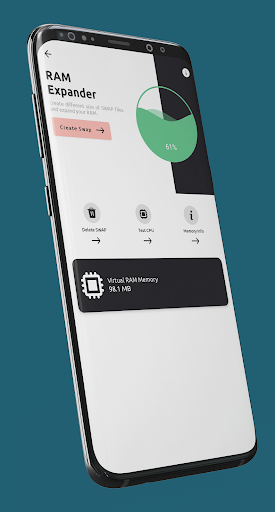
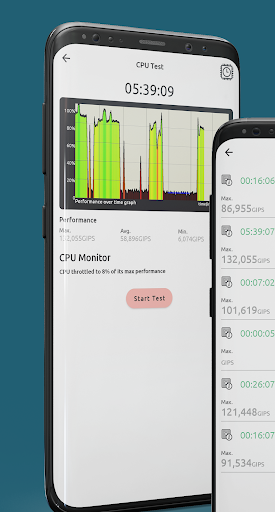
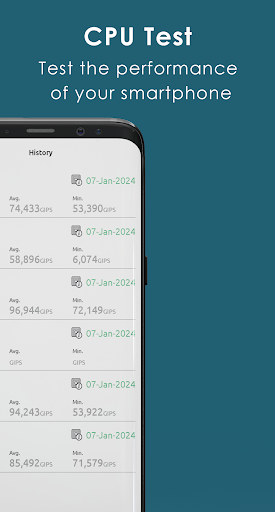
In Ram Swap, the performance monitoring feature is designed to help users monitor the operating status of the device in real time. In the main interface, you will see important parameters such as RAM usage, active swap capacity and CPU status. This information is displayed in clear numbers, making it easy for you to observe and grasp the situation.
Continuously updating these indicators helps you recognize when the device is overloaded or consuming too many resources. From there, you can adjust the use of heavy applications or create additional swap files to reduce pressure on the system.
In addition, the monitoring tool in the application also helps evaluate the effectiveness of swap after activation. If you see that the RAM is released reasonably and the device runs smoother, you can rest assured to maintain the current configuration. In case the performance has not improved, the application allows you to adjust the capacity or change the swap file to a more suitable one.
Notes when using
When using the Ram Swap application, users should consider some important points to ensure efficiency and avoid affecting the device. First, you need to check the free memory capacity before creating a swap file. Choosing a capacity that is too large compared to the storage space can cause the device to operate slowly or report errors during use.
Next, do not create too many swap files at the same time. This can overload the system, causing unnecessary resource consumption. Priority should be given to using a single file with the appropriate capacity to ensure stable performance.
In addition, users need to regularly monitor the status of RAM and CPU in the application’s monitoring section. If you find that the device is not operating effectively after activating swap, you should readjust the capacity or temporarily stop using it to re-evaluate the situation.
FAQs about Ram Swap
1: What is Ram Swap?
This is an application that supports creating virtual RAM on Android devices by using internal memory to increase multitasking capabilities, making the device smoother when running multiple applications.
2: Does this application require root?
No. Ram Swap works without requiring root, so you can install and use it right away on most popular Android devices.
3: What is a swap file and is it harmful to the device?
A swap file is a part of the internal memory used as secondary RAM. If used properly, swap is not harmful. However, you should create it with the appropriate capacity to avoid slowing down the device.
Download Ram Swap MOD APK for Android
Overall, Ram Swap provides an effective solution for those who want to speed up their Android device without having to deeply interfere with the system. With an easy-to-use interface and clear memory management support features, this application helps the device operate more stably during daily use.
App Information
| App Name | Ram Swap |
|---|---|
| Publisher | SH Solu |
| Genre | Tools |
| Size | 6 M |
| Update Time | 2026-01-12 |
| Latest Version | v2.1 |
| MOD Info | Premium Unlocked |
| Get it On |

|