
Introduce about Remote for All TV
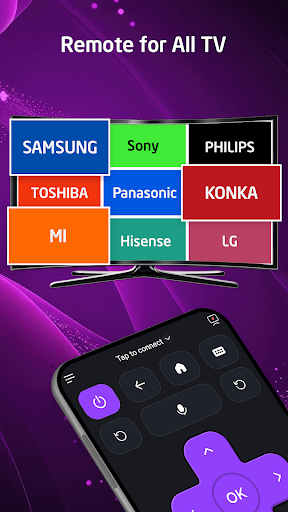
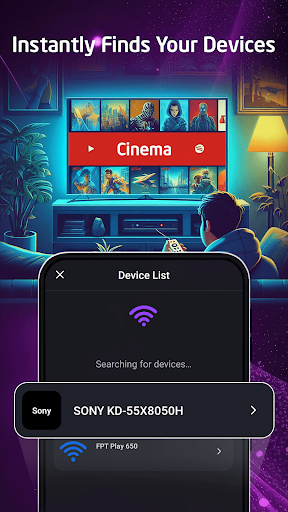
Remote for All TV developed by BTB Tech, Inc helps users turn their phones into convenient remote controls. The app supports many popular TV lines such as Samsung, LG, Sony, Xiaomi and Fire TV. When using, you just need to connect your phone and TV to the same Wi-Fi network, then enter the PIN to pair. The interface is clearly designed, easy to operate even for beginners.
Users can control basic functions such as turning on/off, increasing/decreasing volume, changing channels or entering content via the virtual keyboard. In addition, the application also allows quick sharing of images, videos and music to the big screen. This is a convenient solution when you lose the original remote or want to use your phone to control the TV.
However, some people reflect that the application has many ads and requires payment to expand the features. With more than a million downloads and high ratings, this application is being chosen by many people to experience on Android devices.
Remote control TV with phone
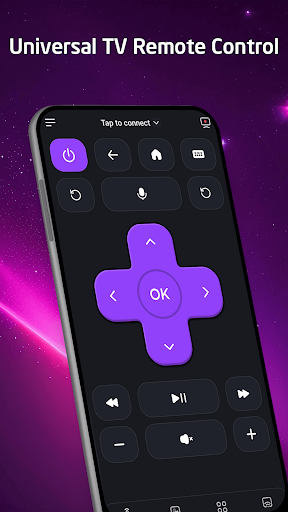
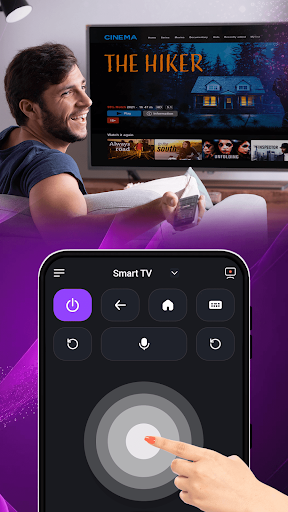
Remote for All TV allows you to use your phone to replace the traditional remote. When opening the application, you can connect to the TV via Wi-Fi very quickly. The pairing process only requires entering the PIN code displayed on the TV screen. Once completed, you can easily control the TV right on your phone. The interface is clearly designed with large and easy-to-recognize buttons. From here, you can turn the TV on and off, adjust the volume, change channels, pause or play the content you are watching.
Using your phone as a remote is very convenient when you accidentally lose the original remote or need to adjust the TV while sitting far away. This application also supports many different TV brands, so you don’t have to worry about compatibility. All operations respond quickly, helping you save time. This is the most basic but also the most important feature, highly appreciated by many users for its convenience and ease of use in daily life.
Projecting content to the TV screen
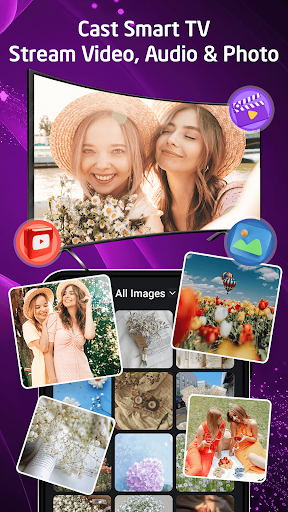
Remote for All TV integrates the feature of sharing content from your phone to the TV screen. You just need to connect to the same Wi-Fi network, select your favorite image, video or song and press the play button. The content will be displayed immediately on the TV with clear quality. This feature is very useful when you want to show your family or friends travel photos, commemorative videos or listen to music.
During gatherings, playing music or videos from your phone to your TV makes the space more lively. The application supports many file formats, so you don’t have to worry about sharing content. The sharing interface is designed simply, the steps are easy to remember. Each time you play, you can pause, fast forward or adjust the volume right on your phone. If needed, you can also stop the slideshow with just one touch.
Remote keyboard and touchpad support
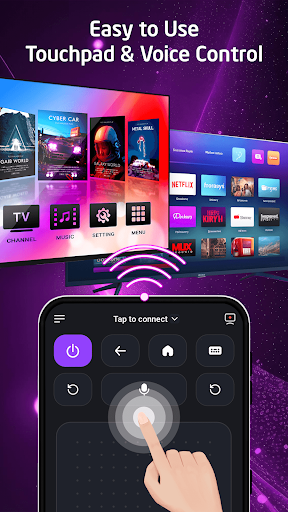
In addition to the basic control function, the Remote for All TV application also provides a virtual keyboard and touchpad on the phone. This feature helps you enter text faster when searching for videos, entering passwords or filling in account information on the TV. Instead of having to press each character with the original remote, now you just need to type on the phone screen. The keyboard displays full letters, numbers and special characters.
In particular, the touchpad helps you move the cursor easily on the TV interface. When you need to select an application or adjust settings, you just swipe lightly on the phone and then press to select. This feature is suitable for Smart TVs with Android TV operating system, Fire TV or TVs that support wireless mouse. Many users consider this a strong point because it makes using the TV much faster and more convenient.
Search and control by voice
Remote for All TV provides a very convenient feature of searching and controlling the TV by voice. When using, you can press the microphone icon right on the application interface and then say the content you want to find. For example, you just need to say the name of the movie, song or TV channel, the application will automatically send commands to the TV to display the results. This helps you not to have to type each word, wasting time.
In addition to searching, voice also supports quick control such as turning the TV on and off, increasing or decreasing the volume, changing channels or opening available applications on the TV. This feature works best when the Wi-Fi connection is stable and the TV supports receiving voice commands over the network.
Thanks to that, using the TV becomes easier, especially when you are busy or standing far from the screen. The recording interface is made simple so that anyone can try it the first time without difficulty.
Download Remote for All TV MOD APK for Android
Remote for All TV is a good solution if you need a quick, free replacement remote that supports many types of TVs and likes an easy-to-use interface. However, there are a lot of ads and there are limits to free usage. If you don’t mind ads and only use basic functions, this is a good option to try.
App Information
| App Name | Remote for All TV |
|---|---|
| Publisher | BTB Tech |
| Genre | Tools |
| Size | 40 M |
| Update Time | 2026-01-12 |
| Latest Version | v1.7.8 |
| MOD Info | Premium Unlocked |
| Get it On |

|