

Introduce about Rethink
In the digital age, many applications on the phone still silently connect to the network without the user knowing. This makes many people concerned about privacy and the level of control over personal data. To solve that problem, Rethink: DNS + Firewall + VPN was developed as a tool to help Android users better control network activities on their devices.
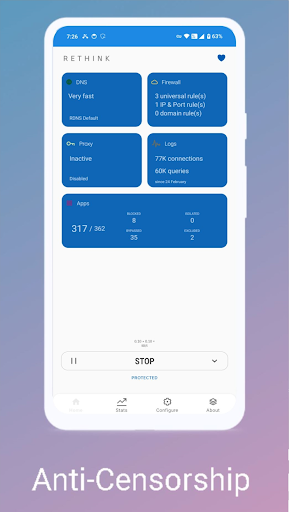
This application acts as a three-layer protective shield: monitoring DNS queries, setting up firewalls for each application and supporting routing through VPN or proxy if necessary. This app allows you to choose a secure DNS server, filter content on demand, and block applications from accessing the internet in the background.
The user can customize many settings according to how each individual user would like to use Rethink, including complete blocking of connections to monitoring data consumption for each application. Another notable point is that Rethink is open sourced, transparently developed, and truly free.
Secure and flexible DNS management
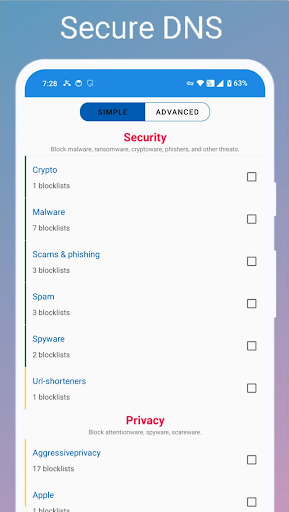
Users can select secure DNS servers on Rethink like DNS-over-HTTPS (DoH) and DNS-over-TLS (DoT), rather than use the default from the operator – DNS from the operator is not secure. These protocols encrypt DNS queries and prevent tracking/viewing of browsing content and malicious redirects by third-parties. You can even select servers from many providers such as Cloudflare, AdGuard, or choose Rethink servers (RDNS).
The app also supports filtering DNS queries by categories such as advertising, porn, social networks or by custom blacklist/whitelist. This makes it easy to control the content accessed, especially useful if you share your phone with children. In addition, the app also provides a tool to check the stability and response speed of each DNS server, thereby helping you choose the DNS that best suits your region and personal needs.
Powerful and easy-to-use application firewall
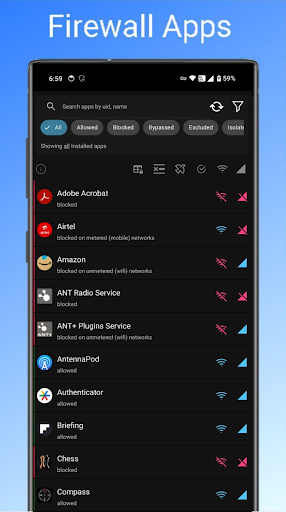
One of the most outstanding features of Rethink is the ability to block network access for each application in detail. You can prohibit the application from accessing the internet when running in the background, or when using mobile data network, or only allow when there is a Wi-Fi connection. Thanks to that, the app helps save space, extend battery life and reduce the risk of information leakage.
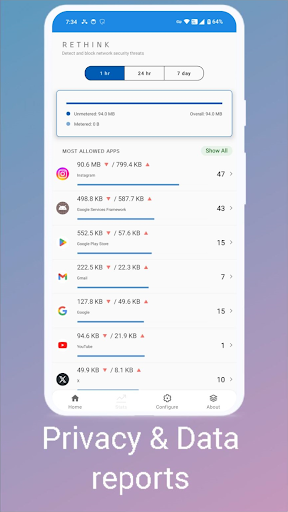
Users can monitor connection logs to know which applications are running in the background and accessing which addresses. If you detect an unusual or suspicious connection, you can immediately block that application’s network access. In addition, you are provided with real-time traffic statistics charts, thereby making blocking/unblocking decisions based on actual behavior.
Supports routing via VPN or custom proxy
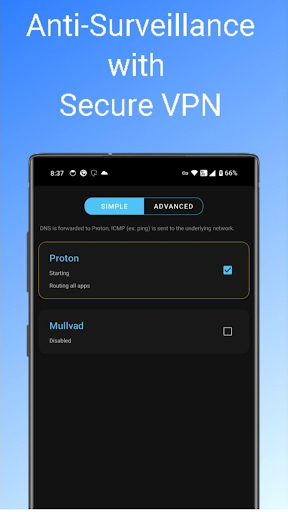
In addition to DNS and firewall functions, Rethink also provides flexible routing of network traffic through methods such as WireGuard VPN, SOCKS5 proxy or HTTP CONNECT. This helps users create secure connections, overcome content censorship barriers or increase privacy when accessing the internet.
The application does not force users to use a single VPN, but allows connections to self-selected proxies or VPNs. Thanks to that, you can integrate with existing VPN services or personal servers. Rethink also supports split tunneling, which means you can choose which applications will use the VPN and which applications will access directly.
In particular, if you only want to route DNS and not want all network data to go through the VPN, you can also set it up very flexibly. This function is suitable for those who need high-tech customization but do not want to install many additional applications.
Friendly, transparent and open source interface
From the first use, Rethink impresses with its minimalist interface, easy to operate even if you are not tech-savvy. All features are clearly divided into categories such as DNS, Firewall, VPN, making it easy to turn on or off or customize. In addition, statistical charts, unusual access warnings and connection logs are also designed intuitively and easy to read.
The application is completely free, has no ads and does not require creating an account. All source code is public on GitHub, allowing users to check or contribute if they want. The developer also regularly updates new versions to fix bugs, improve performance and add new features.
Rethink does not contain third-party trackers, does not collect personal data and does not sell user information for advertising purposes. Thanks to this transparency, the application is highly appreciated by the Android user community and security forums.
Download Rethink APK for Android
In short, Rethink is a solid choice for those who want complete control over their Android device’s network activity. With a combination of secure DNS, smart firewall, and VPN routing options, the app offers a sense of security without sacrificing convenience.
App Information
| App Name | Rethink APK v0.5.5t (Latest) for Android |
|---|---|
| Publisher | Celzero |
| Genre | Tools |
| Size | 79 M |
| Update Time | 1970-01-21 |
| Latest Version | v0.5.5t |
| MOD Info | No |
| Get it On |

|