

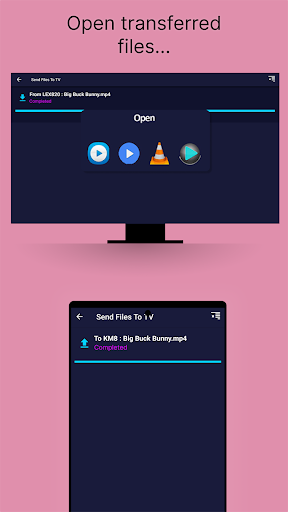
Introduce about Send files to TV
If you are looking for a simple way to share data between your phone, computer and Android TV, Send files to TV is an application worth trying. This is a free tool from independent developer Yablio, helping users transfer files quickly via the internal Wi-Fi network. You can send movies, photos, documents or even APK installation files from your phone to TV without cables or login accounts.
With an easy-to-understand interface, the application allows you to operate with just a few touches. After installing on both the phone and TV, the devices will automatically detect each other if they are using the same Wi-Fi network. File sharing is smooth, with high transmission speed and supports large files. This is especially useful for those who want to sideload the application to Android TV or transfer videos to watch directly on the big screen.
Fast file transfer over the internal network, no Internet required
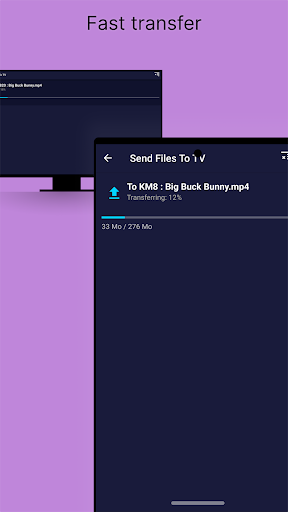
One of the highlights of Send files to TV is the ability to quickly transfer files between devices via the internal Wi-Fi network. The application does not require an Internet connection, so users can rest assured to share files even when the network is lost or in areas without a connection. You just need to make sure the devices are using the same Wi-Fi network, then select the file and send.
This process is much faster than Bluetooth or other traditional methods, especially when you need to transfer large files such as HD videos, series or application installation files. In addition, not going through an intermediary server also helps to secure information better.
This is a huge advantage if you want to share sensitive data or simply do not want the file to be compressed like when using regular chat apps. Users will clearly feel the convenience of being able to send files to the TV to watch immediately without having to plug in cumbersome wires or copy via USB.
Multi-platform support, easy to install
Send files to TV is designed to work on many different platforms, including Android (phones and Android TV), Windows, macOS and even Linux. This helps users to be flexible in sharing files between different devices in the same ecosystem. Just download the application from Google Play or the official website, the installation process is quick and does not require complicated configuration.
The application has a friendly interface, suitable for even those with little experience using technology. After opening the application, you will see supported devices appear immediately if they are on the same Wi-Fi network. Sending or receiving files only requires a few steps of selection and confirmation.
Also users can use the computer version to send files either to the TV or vice versa which can be good for creating the work environment or either way built up material on a bigger screen. This application is a reliable solution for all files transferring between platforms within the home or the office base with stable functioning.
Easy to use, newbie-friendly interface
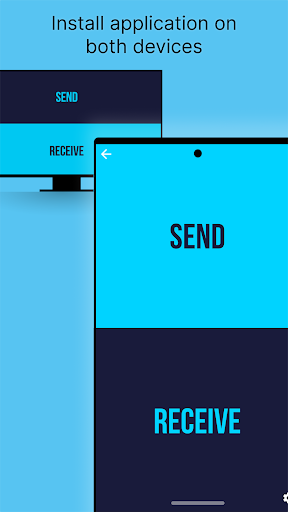
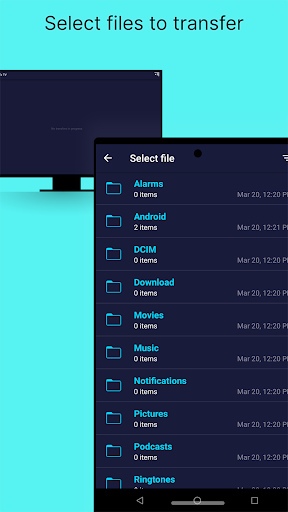
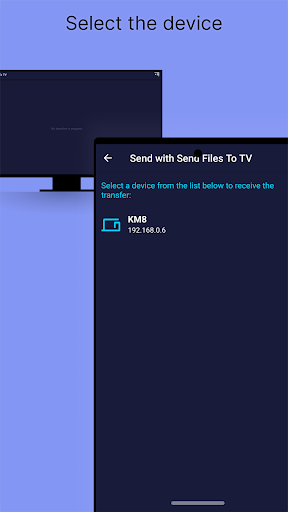
When you first open Send files to TV, you will see that the program is designed with a minimalist look and with evident buttons for functions like “Send” and “Receive”. All operations are performed in an intuitive sequence, helping even new users to easily get acquainted without having to read lengthy instructions. After selecting the file you want to send, the application will automatically scan and display a list of available devices.
Connecting and sending files is completed with just one touch. Users can also review the file transfer history for better management. Besides, the application does not require account login, there are no annoying verification steps, thereby shortening the operation time. Those who often work with TVs or devices in the same internal network system will find this a very convenient tool.
Support for transferring and installing APK files for Android TV
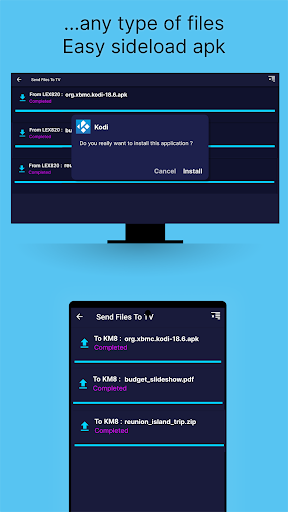
A special feature that is loved by the community of Send files to TV is the ability to sideload APK files from your phone or computer to Android TV. This is very useful in case you want to install applications that are not available on Google Play for TV, or download older versions to avoid incompatibility errors.
The installation process is smooth: you just need to send the APK file to the TV using the application, then use the available file installer (or install additional applications such as “File Commander” or “SFTV File Manager”) to proceed with the installation.
This feature saves time, does not require USB or other cumbersome tools. In addition, because it is transmitted over the internal network, the speed is very high, even with files weighing several hundred MB. Many Android TV users consider this to be one of the simplest and most effective tools for sideloading applications.
Download Send files to TV MOD APK for Android
Currently, Send files to TV is available on many platforms such as Android, Windows, macOS and Linux. The application is still updated regularly, receiving many positive feedbacks from the community. This is an ideal choice for convenient file sharing needs in the home or office space.
App Information
| App Name | Send files to TV |
|---|---|
| Publisher | Yablio |
| Genre | Tools |
| Size | 11 M |
| Update Time | 2026-01-12 |
| Latest Version | v1.4.22 |
| MOD Info | Pro Unlocked |
| Get it On |

|