

Introduce about Utiful
Utiful is a photo management app designed to assist users in a more systematic and scientific way of organizing the photo library on their phone. Rather than allowing every photo to accumulate in the default photo album on a device, Utiful allows a user to move photos into independent folders the user creates and labels according to user-defined criteria.
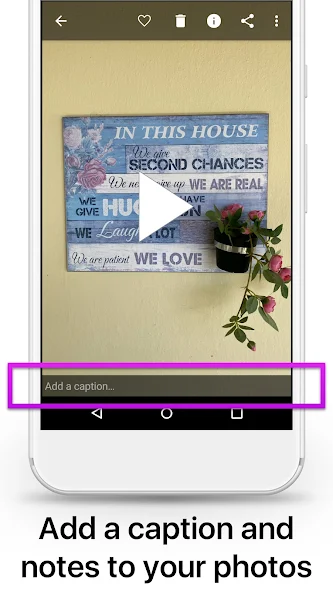
For instance, photos can be divided into categories such as “work documents”, “purchase receipts”, “personal ideas”, or “family photos”. After transferring photos to Utiful, those photos will no longer be displayed in the camera roll, making the main library much tidier. Besides the ability to create folders, the application also supports you to import photos from other applications or take new photos and save them directly to the desired folder.
All operations are performed directly on the device without requiring a network connection. In addition, Utiful also allows you to protect folders with a password or fingerprint, helping to increase privacy. For those who often work on the phone and need to organize images logically, Utiful is a very reliable support tool.
Move photos from the camera roll to a private folder
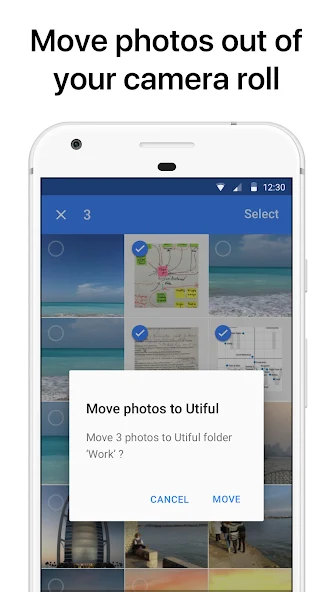
Utiful’s ability to help you segregate unneeded photos from the phone’s primary photo library is a highlight. Inside the app, you can select photos from the camera roll and move those to a private folder created and used by Utiful. These photos will no longer show up in the device’s primary album after you moved them, and it makes it much easier to keep the camera roll organized and manageable.
This organization is very suitable for those who have a habit of taking photos of documents, receipts, products or daily work. Separating photos for personal purposes and photos for work makes the search process faster. This feature is especially useful when you often share photos from the library and do not want to expose private or unrelated images.
Take photos directly to the desired folder
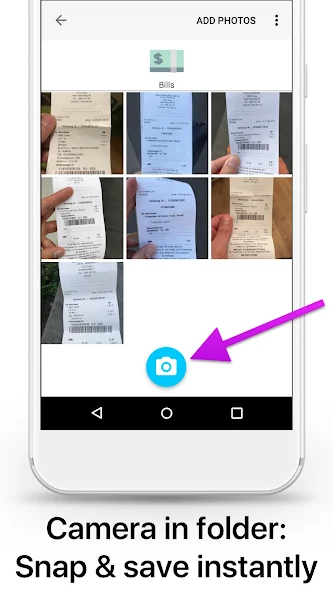
Utiful provides the feature of taking photos directly and saving them to the exact folder you selected earlier. This helps you avoid having to take photos and then reorganize them. When you open the application and select any folder, you can immediately use the built-in photo capture feature. The image will be saved to that folder without being displayed in the phone’s main library.
This feature is extremely useful for users who specialize in storing photos according to specific projects or topics such as construction management, sales, invoice storage, or document illustration. Automatic classification right from the moment of shooting saves a lot of time, while reducing the possibility of photos being lost or mixed into other folders. For those who are busy and need neatness in data management, this feature is really a big plus.
Create and manage flexible photo folders
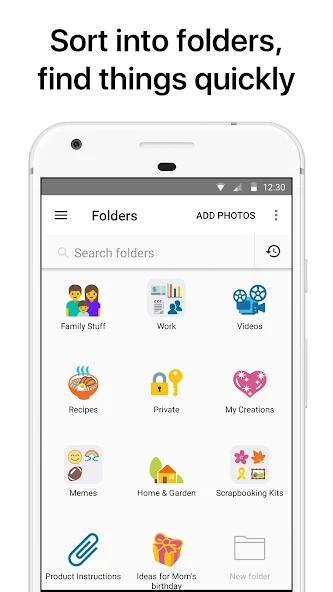
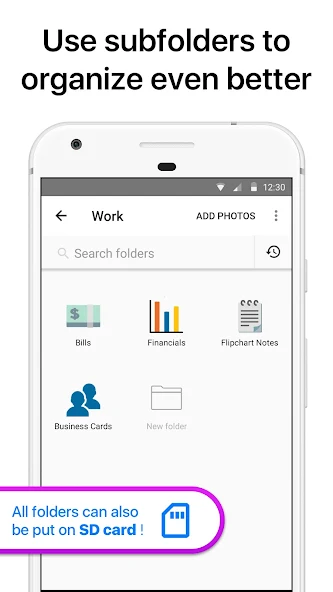
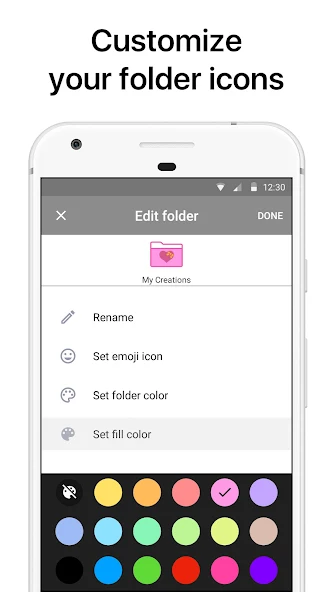
Utiful allows users to create separate folders to organize images according to each desired theme. You can easily name each folder, choose a representative icon, and even set colors for easy recognition. The application also supports you to create subfolders inside the main folder, thereby helping to build a clear and logical classification system.
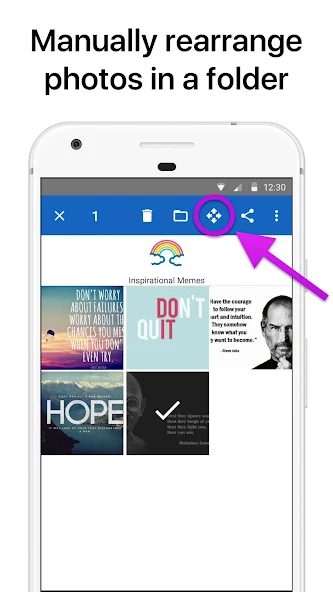
Not stopping at dividing, Utiful also supports you to arrange photos in each folder in a custom order or by shooting time. For users who often work with document, construction or product photos, creating scientific folders will help them save time when they need to look up or share. In addition, the simple interface and intuitive drag-and-drop operations make photo management easy, without the need for complex techniques.
Folder security and flexible backup support
For those who care about privacy, Utiful offers the ability to set a password or use biometric security such as fingerprint or facial recognition to lock the folder. This helps you feel secure storing personal, sensitive or work-related images without worrying about others peeking.
In addition, the application also allows you to backup and export folders to your computer, memory card or other external storage devices. If you need to transfer data to a new device or in case your phone has a problem, you can easily restore all saved photos.
In particular, even if you uninstall the application, the data in Utiful’s folder will still be retained on the device if you have properly backed up.
Download Utiful MOD APK for Android
Overall, Utiful is an ideal choice for those who want to organize photos on their phones in a neater and smarter way. With the ability to separate photos from the main library, create separate folders, take and save directly to each photo group, this application helps you save time and control the content better. If you often take photos for work, store documents or simply want to clean up the messy camera roll, Utiful will be a reliable assistant.
App Information
| App Name | Utiful MOD APK |
|---|---|
| Publisher | Utiful Software GmbH |
| Genre | Photography |
| Size | 25 M |
| Update Time | 2026-01-07 |
| Latest Version | v9.1.0 |
| MOD Info | Premium Unlocked |
| Get it On |

|